

Automating quotes means connecting enquiries, commercial data, documents and your CRM through verifiable rules. The first useful outcome is a complete draft ready for review: correct customer details, items consistent with the price list and clear conditions.
Consider an enquiry that arrives through a website, is retyped into a spreadsheet, turned into a document and finally recorded in the CRM. Each repeated step takes time and can introduce inconsistencies. A connected process reuses the same information while keeping a person responsible for commercial decisions.
The following workflow is a design example, not a claim about a client’s achieved results. Adapt it to the company’s products, services and tools.
When automation makes sense
Automation is easier when some enquiries follow repeatable rules: a defined catalogue, quantities, options, price lists and approved conditions. If each project requires a site visit or technical assessment, you can still automate data collection and preparation of the case.
Before selecting tools, separate three activities:
- collection: obtaining the information and attachments needed;
- calculation: applying prices, quantities, rules and exceptions;
- decision: checking feasibility, availability and commercial conditions.
Collection can continue even when the price cannot yet be determined. In that case, the system should create a request for completion rather than inventing a total to fill the document.
1. Collect a structured enquiry
A useful form asks for what the assessment needs: product or service, quantity, specifications, location where relevant, requested timing and contact details. Attachments are useful only when someone will use them.
Avoid both a single “tell us everything” field and an unnecessarily long questionnaire. You can ask for a few details to open the case, then collect technical information in a second step.
Give each enquiry an identifier. If the form is submitted twice or an integration retries delivery, the system should recognise the duplicate. Missing required fields create an “incomplete” status, with an owner and a request for clarification.
2. Connect the customer, price list and calculation rules
Look up the customer in the CRM using reliable criteria. Do not automatically merge organisations simply because their names are similar. Ambiguous matches need review.
The price list needs a version, validity period and explicit rules. Define which price applies, which options are compatible and who can authorise an exception. Quantities, discounts and rounding need repeatable calculations tested against known expected results.
| Information | Source to define | If it is missing |
|---|---|---|
| Customer and contact | CRM record or verified enquiry | Complete or verify the record |
| Unit price | Approved, current price list | Block calculation |
| Quantity and options | Confirmed enquiry details | Request clarification |
| Discount | Rule or commercial authorisation | Request approval |
| Delivery timing | Availability confirmed by the owner | Mark as still to be defined |
| Conditions and validity | Company-approved template | Prevent incomplete sending |
If these details currently live in separate spreadsheets, our guide to moving from Excel to business software helps prepare the data and rules before connecting them.
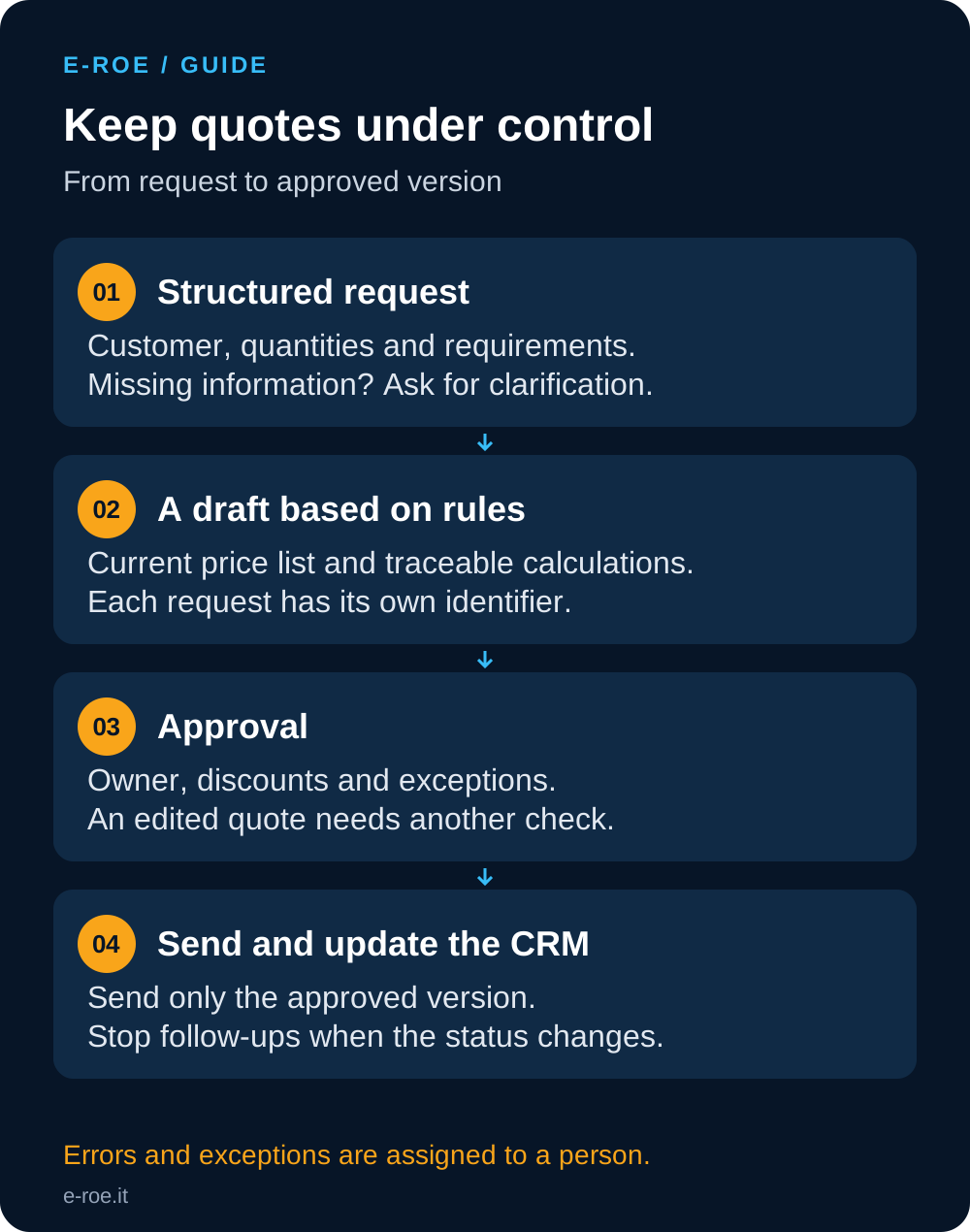
3. Generate a draft and make exceptions visible
The document should include its number and version, recipient, items, quantities, prices, tax treatment to verify, exclusions, validity and applicable conditions. Missing information should remain visible in the draft and prevent sending.
Use understandable statuses, such as received, incomplete, draft, awaiting approval, approved, sent, accepted, lost or cancelled. “Approved” describes an internal decision; “accepted” describes the customer’s response. Confusing the two makes commercial reporting unreliable.
Retain the price list version and a history of changes. When an amount changes, the approver should see the new total and updated conditions, not an earlier preview.
4. Keep an approval step before sending
In the initial workflow we recommend, a person checks the draft and authorises that specific version. Discounts beyond a threshold, unusual conditions or incomplete details may require a different approver.
Approval must apply to the actual content. A later change to pricing or conditions should return the document for review. Avoid a general “approve customer” button that implicitly authorises every future offer.
Some CRMs provide dedicated features. HubSpot’s quote approval documentation illustrates this step; availability, licences and permissions depend on the plan. Before buying additional tools, check what your existing CRM supports.
5. Send, update the CRM and control follow-ups
After approval, the system sends the document to the verified recipient, saves the version and date and updates the deal. Distinguish a send request, successful sending and an error. Starting an action does not prove the customer received the message.
If a connection fails, a retry should not create another quote or send multiple copies. Keep an operation identifier and make failures visible to someone who can resolve them.
Any reminder should stop when the customer replies, accepts or declines, or when the deal is closed. The salesperson must be able to pause it. Requesting a quote also does not automatically authorise newsletter subscription: keep communications about the enquiry separate from promotional campaigns.
Where can artificial intelligence help?
It can propose extracted information from emails and documents, or prepare a summary for review. It is unnecessary when a structured form already provides the required details.
Extracted information should retain a reference to its source. Ambiguous data should be marked for checking. Prices, taxes, discounts and conditions must follow approved rules instead of being invented by a model. Before connecting customer attachments and data to external services, assess access, data handling and provider terms.
Cost and how to assess the benefit
Cost depends on data quality, price-list complexity, available integrations, licences, error handling, training and maintenance. Connecting tools that are ready to integrate is different from rebuilding a price list whose exceptions are known to only one person.
To assess the benefit, measure preparation and review time, incomplete enquiries, corrections and time to respond. As a purely hypothetical example, 40 monthly quotes with 15 minutes actually saved per quote free up 10 hours. That time is not automatically additional revenue: account for review, exception handling and tool costs.
Before activation, test a duplicate enquiry, expired price list, missing field, unauthorised discount, edit after approval and interrupted sending. Define the expected result and responsible person for each case.
Start with three anonymised quotes: one simple, one typical and one difficult. Through E-ROE’s business automation service, we can map the workflow and identify a measurable first improvement. If a shared space for data and responsibilities is missing, we can also assess custom business software connected to your current tools.